Funklift PC Game Review: Chaotic Forklift Fun! (Safe Download Guide)
Have you ever looked at a forklift and thought, “This would be perfect for a chaotic party game”? If so, Funklift is the PC game of your dreams! This hilarious title throws you and your friends into a warehouse of mayhem where logistical glory is won through skillful driving, brute force, and a whole lot of funky music.
If you’re looking for a new game to liven up your game nights, this review is for you. We’ll cover the wacky gameplay, key features, and the one and only official method to download Funklift safely.

Gameplay: The Ultimate Warehouse Showdown
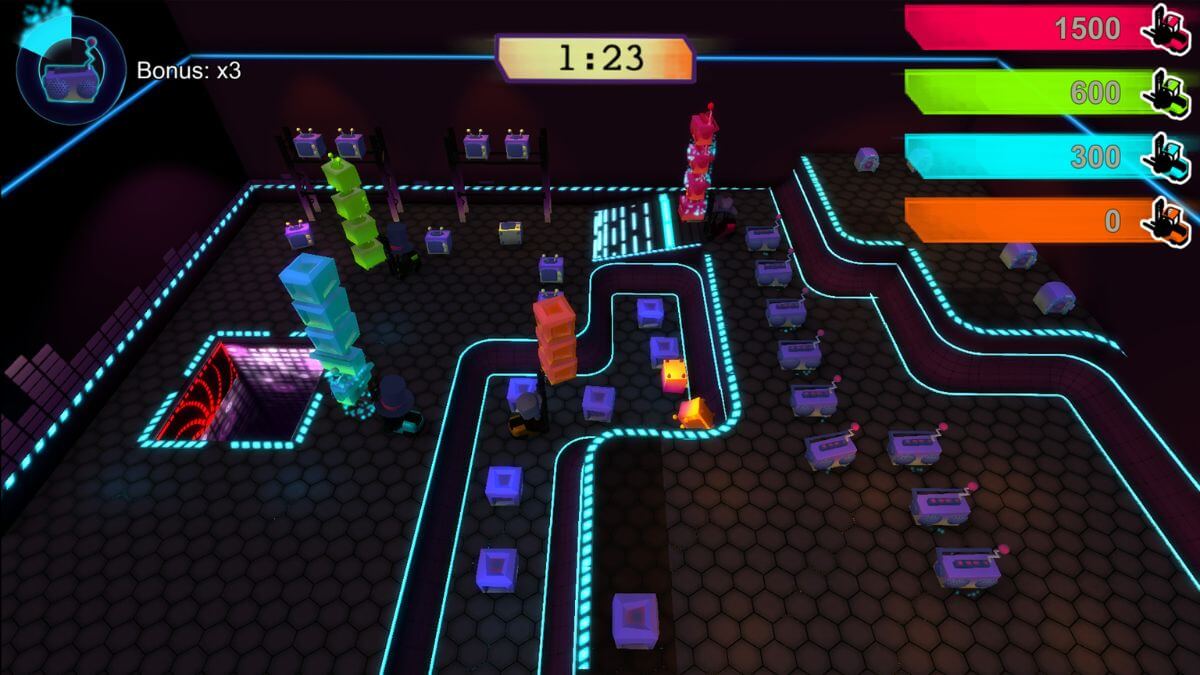
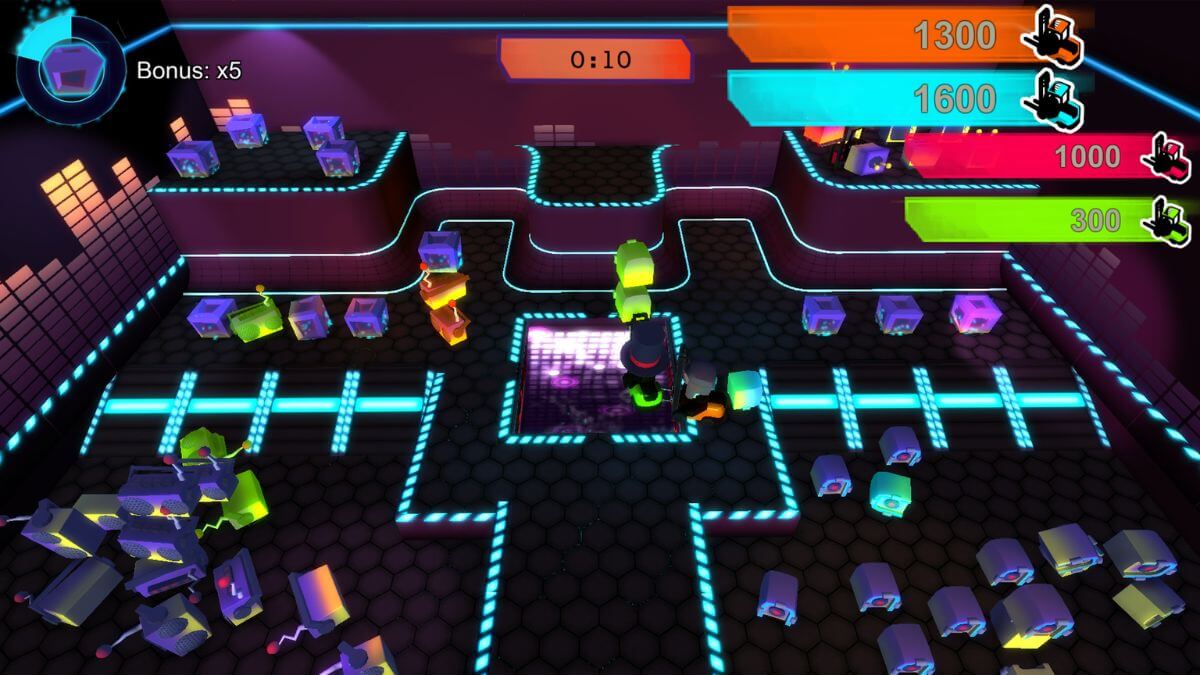
At its heart, Funklift is a competitive party game for up to four players. The concept is brilliantly simple: you are all forklift operators in a race against the clock to deliver the most items and rack up the highest score. But how you achieve that victory is where the real fun begins.
You can choose one of two paths to glory:
The Path of Precision: You can play like a true professional, using skill and cunning to deliver your packages with speed and accuracy.
The Path of Chaos: You can embrace the four-tonne beast you are driving and simply smash your opponents out of the way, steal their packages, and cause as much destruction as possible.
With its outrageously wobbly physics, every turn is a new adventure, and every delivery is a potential disaster. This simple yet brilliant setup creates a perfect storm of laughter, rivalry, and unforgettable moments.
Key Features That Make This PC Game a Blast
Funklift is packed with features designed for maximum fun and replayability.
Simple and Hilarious Concept: The game is incredibly easy to pick up and play, making it perfect for players of all skill levels. The real challenge comes from mastering the hysterical physics.
Outrageous Wobbly Physics: Expect the unexpected. The physics engine ensures that driving your forklift is a wobbly, unpredictable, and constantly amusing experience that will have you and your friends in tears of laughter.
Diverse and Groovy Levels: Race through a variety of unique and challenging warehouse environments, each with its own layout and obstacles to overcome.
An Unforgettable Funky Soundtrack: Get into the groove with a brain-meltingly funky soundtrack that perfectly complements the chaotic action on screen.
Customizable Forklifts and Hats: Drive a forklift in one of four different colors and top it off with a stylish hat. Why hats? Because warehouse work is serious business.
How to Download Funklift (Official & Safe Method)
If you’re looking to download this PC game, you might see websites advertising a “Funklift free download.” It is absolutely crucial that you avoid these sites.
First, let’s be crystal clear: Funklift is a paid PC game. It is not free-to-play. Any website claiming to offer it for free is illegal and potentially harmful to your computer.
The Dangers of Illegal “Free Download” Sites
Searching for terms like “Funklift crack” or “Funklift torrent” will lead you to malicious websites. Downloading from these sources puts your computer and personal data at severe risk. These files often contain:
Viruses and Malware: Harmful software designed to steal your personal information, like passwords and credit card details.
Spyware: Unwanted programs that secretly monitor your computer activity and compromise your privacy.
A Broken Game: Pirated games are often unstable, incomplete, or simply do not work, all while putting your system in danger.
Step-by-Step Guide to Safe Installation
Follow these simple, 100% legitimate steps to buy and install this PC game safely:
Go to the Steam Store: The most trusted platform for PC games is Steam. Open the Steam client on your computer or visit their official website.
Search for the Game: Use the search bar in the Steam store and type “Funklift.”
Purchase the Game: On the game’s official store page, add it to your cart and complete the purchase using Steam’s secure checkout process.
Install from Your Library: After your purchase, the game will be permanently added to your Steam Library. From there, you can download and install it with a single click.
This process supports the indie developer and guarantees you get the real, complete, and virus-free version of the game.
Funklift System Requirements
This PC game is very lightweight, making it accessible to a wide range of computers.
Minimum System Requirements:
Operating System: Windows 7 or newer
Processor: 2 GHz Dual Core
Memory: 3 GB RAM
Graphics: 1 GB VRAM
Storage: 1 GB available space
Important Note: A gamepad (like an Xbox controller) is required for multiplayer and highly recommended for single-player.
Note: As of January 1, 2024, the Steam Client requires Windows 10 or later versions to run.
Final Verdict: Is This PC Game Worth Playing?
If you are looking for a fun, silly, and endlessly replayable local multiplayer game to enjoy with friends, then Funklift is an absolute must-buy. It is the perfect party game—easy to learn, difficult to master, and guaranteed to produce moments of pure, unadulterated chaos and laughter. It’s a hilarious and original concept that is executed beautifully.
Ready to find out who is the true champion of the warehouse? Follow our safe download guide to purchase Funklift on Steam and get ready to fork your friends
Screenshots: